Replace 4 tools with 1: Train AI to write in your voice with built-in humanizer, AI-checker, plagiarism-checker, and more
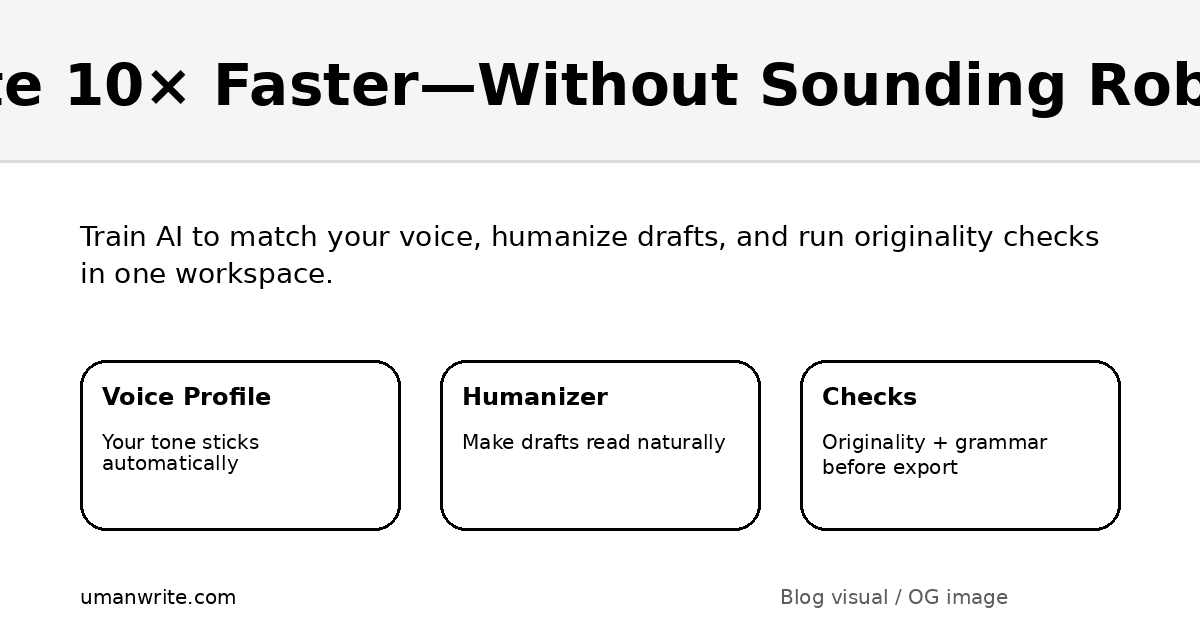
Write faster without sounding like a robot (and without juggling 4 tools)
I’ve been trying different AI writing tools for the past few months and honestly… most of them are either overpriced or they just repackage the same workflow with a new coat of paint. You still end up doing the same thing:
Generate a draft
Rewrite it because it sounds “AI-ish”
Run an originality / plagiarism check
Fix grammar and polish
Copy-paste the final version into wherever it needs to go
That loop is the real time-killer. Not the writing—the switching. Four tabs. Four logins. Four subscriptions. And somehow you still don’t feel great about hitting “publish.”
That’s why I started looking for something that actually feels like a content studio instead of a blank canvas.
Enter UmanWrite (umanwrite.com): an all-in-one AI writing platform built for the AI era, designed to help your brand voice stick automatically through a Voice Profile you create—plus built-in humanizer and checks so you can ship content in one place.
Quick note on claims like “undetectable” or “plagiarism-free”: no tool can guarantee outcomes across every detector or source database. What you can do is write more naturally, add real originality, and use checks to reduce risk before publishing.
Replace 4 tools with 1: the workflow difference
If you’ve ever used AI for writing, you already know the “copy/paste cardio” routine:
Generate → humanize → originality/plagiarism check → grammar check → paste into final place
UmanWrite’s pitch is simple: keep that entire loop inside one workspace, and let your Voice Profile do the heavy lifting so you don’t re-prompt tone every time.
Alt text: Infographic showing four separate writing steps merging into one all-in-one UmanWrite workflow.
What UmanWrite is (in plain English)
UmanWrite is an AI writing platform that helps you:
Train AI to write in your voice (via a Voice Profile you create)
Generate and rewrite content in a single hub (with a built-in humanizer)
Run built-in checks (originality/plagiarism + grammar, and an AI-checker if included in your plan)
Export a final, ready-to-send version without bouncing between tools
If you’re currently paying for multiple tools just to feel safe hitting send, that consolidation alone can be the biggest “speed boost.”
How to train AI to write in your voice (the practical, non-technical way)
The best “write like me” results don’t come from a magic prompt. They come from inputs + constraints + iteration. Here’s a workflow that works whether you’re writing blogs, emails, landing pages, or client deliverables.
Alt text: Checklist graphic for setting up a voice profile using writing samples, rules, context, testing, and iteration.
Step 1) Collect strong samples (5–15 pieces)
Pick writing you’d be happy to publish again. Variety helps:
One short punchy piece (LinkedIn post, email)
One medium piece (newsletter, product update)
One longer piece (blog post, guide, landing page)
Tip: Include at least 1–2 pieces that show how you explain concepts—this is where “voice” is most obvious.
Step 2) Write a simple “voice rulebook”
Think like an editor. You’re trying to teach the AI what not to do as much as what to do. Example rules:
“Short sentences. Minimal hype.”
“Warm, direct, slightly witty.”
“Avoid clichés and filler intros.”
“Use examples and specifics, not vague claims.”
“Use bullets and subheads for readability.”
Step 3) Build your Voice Profile in UmanWrite
Upload/paste your samples and set your preferences. The goal is consistency—so your voice stays stable across different content types without you repeating yourself in prompts.
Step 4) Test with real assignments
Don’t start with “write me a blog.” Start with tasks you actually do:
“Rewrite this paragraph in my voice—keep meaning the same.”
“Turn this outline into a 900–1200 word blog post in my Voice Profile.”
“Create 5 headline options that match my tone (no hype).”
“Write a concise intro that doesn’t sound like AI.”
Step 5) Iterate like an editor
When something sounds off, don’t just regenerate—tighten the rules:
Add a “do/don’t” example
Clarify tone (“confident” vs “salesy”)
Specify structure preferences (short paragraphs, more bullets, fewer adjectives)
This feedback loop is what makes voice training feel real.
What the built-in humanizer is actually for
Let’s be honest: “humanizer” gets talked about like it’s a cheat code. In reality, the best use is straightforward and professional:
Remove robotic repetition
Smooth awkward phrasing
Improve rhythm and readability
Make output sound like a person—not a template
A good humanization pass should keep your meaning intact while improving:
sentence variety
specificity
natural transitions
less “AI vibe” (generic lines, filler, overly polished tone)
The goal isn’t deception. The goal is writing you’d be proud to send under your own name.
Built-in originality/plagiarism + grammar checks (how to use them safely)
If you publish professionally, two risks matter:
Accidental overlap with existing phrasing (especially in common topics)
Quality confidence—grammar, clarity, and consistency
UmanWrite’s built-in checks can help you catch problems before they go live.
A smart way to use the checks
Run a check after you’ve added your own ideas, examples, and structure
If you see overlap flags, don’t panic—rewrite the specific lines, add details, and cite sources where appropriate
Use grammar checks last—after you’ve finalized structure and tone
Reminder: “plagiarism-free” can’t be promised by any platform universally. What you want is high originality + verification.
The end-to-end content pipeline inside one workspace
Here’s what “10× faster” feels like in practice: not because the AI types faster (it does), but because your process stops breaking.
Alt text: Flowchart showing steps from brief to draft to humanize to check to export in one workspace.
Use this brief template (copy/paste)
Before you generate anything, write a tight brief:
Audience: who is this for?
Goal: what do they need to know/do?
One-line promise: what’s the value?
Key points: 5–8 bullets
Proof: examples, mini-case study, data points, quotes
Constraints: tone, word count, “don’t mention,” compliance notes
CTA: what should they do next?
That brief becomes the “anchor” that keeps your draft from drifting into generic AI writing.
Where UmanWrite fits best (use cases)
UmanWrite shines when your output needs to be both fast and on-brand:
1) Blogs and SEO content
consistent tone across posts
faster outlining + drafting + rewriting
cleaner “publish-ready” finish
2) LinkedIn posts, newsletters, and personal brand writing
voice matters more than templates
repeatable structures (hook → value → example → CTA)
3) Product pages and marketing copy
keep brand voice consistent across assets
generate multiple variants without starting from zero
4) Professional writing (client-ready)
rewrite technical content into human-readable messaging
tighten clarity without losing meaning
run checks before sending externally
“Has anyone tried it?” + What other AI tools compare?
If you’re asking, “What else is comparable?” here’s the clean way to think about it: most tools solve one slice of the workflow.
Alt text: Diagram explaining different AI writing tool categories and what each is best for.
Tool categories (neutral comparison)
Category | Examples | Best for | Typical gap |
|---|---|---|---|
General LLMs | ChatGPT, Claude | flexible drafting, ideation | voice + checks usually live elsewhere |
Editing assistants | Grammarly | grammar, clarity, rewrites | not a full “generate + voice + checks” workflow |
Marketing platforms | Jasper, Copy.ai | templates, campaigns | can feel templated without deeper voice |
Paraphrasers | QuillBot | quick rewrites | limited brand voice consistency |
Detectors/checkers | GPTZero, Turnitin, Copyleaks | risk signals/estimates | not a writing solution |
Where UmanWrite positions differently: it aims to be the all-in-one workspace—voice training + humanization + checks in one flow—so you can publish without duct-taping tools together.
How to choose the right AI writing workspace (quick decision framework)
If you’re comparing options, ask:
Do you need consistent voice across lots of content?
If yes → prioritize voice training / profiles.Do you spend more time polishing than drafting?
If yes → prioritize rewriting + humanization workflow.Do you publish under a brand that can’t afford sloppy output?
If yes → prioritize built-in checks + final export quality.Are you paying for “just-in-case” tools?
If yes → consolidation matters (less cost + less switching).
FAQ (realistic answers)
Can UmanWrite make writing “undetectable”?
No platform can guarantee “undetectable” across all detectors and contexts. What you can do is write more naturally, add real originality, and use checks to reduce risk and improve quality. If you have policies (school/client/platform), follow them.
Is it plagiarism-free?
No tool can promise that universally. But having built-in originality/plagiarism checks helps you verify and revise before publishing. Your best defense is original thinking, examples, and citations when needed.
What should I use to train my Voice Profile?
Your best published work. Include variety and make sure it reflects the tone you want going forward (not just what you wrote years ago).
How much training data do I need?
Start with 5–15 samples. Then iterate. Voice gets better as your rulebook and examples get more specific.
Starter prompt pack (copy/paste)
“Write a detailed outline on [topic] for [audience]. Keep my Voice Profile. Include FAQs.”
“Turn this outline into a 1,500–2,000 word blog post in my voice. Avoid hype. Use examples.”
“Rewrite this section to sound more natural and human. Keep meaning the same.”
“Create 7 headline options: direct, curiosity-led, and benefit-led (no clickbait).”
“Shorten this by 25% while keeping the key points and tone consistent.”
“Generate 3 CTA options that fit my style (confident, not salesy).”